Guild Wars on Apple Silicon: Supported Macs & Display Settings
Which Macs run GWonMac and how display resolution, render scale, and the official client's graphics settings affect performance.
GWonMac runs on every Apple Silicon Mac with macOS 12 Monterey or later, from the M1 MacBook Air to the Mac Studio. Intel Macs are not supported.
What affects performance
GWonMac does not promise a fixed frame rate. Results vary with the Mac, display, render scale, the client's graphics settings, the area being played, and the current official client build. Community reports are useful feedback, but they are not controlled benchmarks and are not used as performance guarantees.
Resolution and render scale
The app renders at native Retina resolution on internal and external displays. You can change the render scale (1x, 1.5x, 2x) in the app menu under Guild Wars → Settings → Display. The client's own graphics settings apply on top. If the picture looks soft, raise the render scale or turn off post-processing effects.
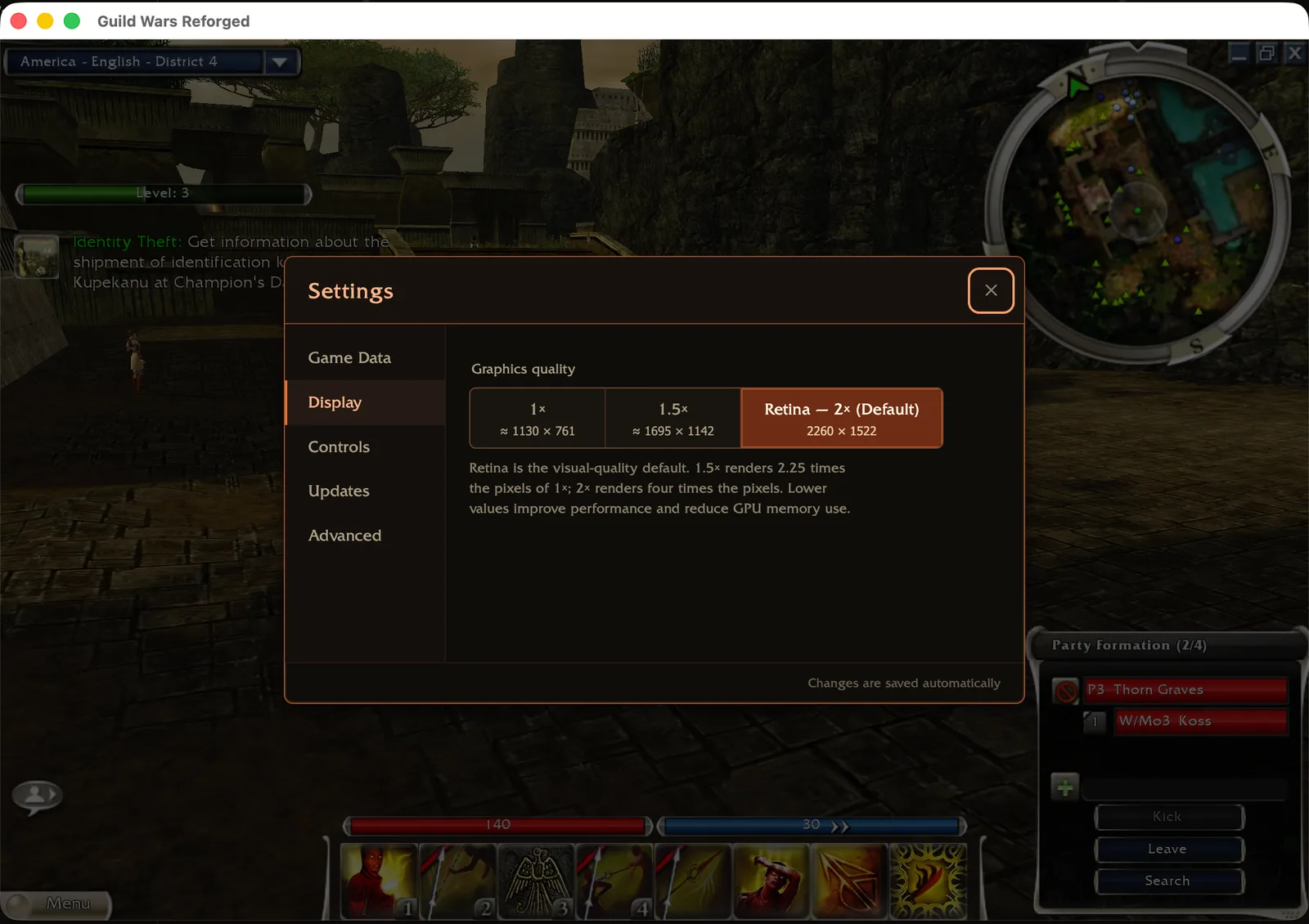
If play feels slow
Try a lower render scale first, then reduce the client's graphics settings. If the problem continues, use Help → Report a Bug…. Diagnostics are optional; export them separately from Help → Diagnostics if you want to attach them.
Install GWonMac and share your experience on Discord.